
Announcing DIY Layout
I was building a “Testimonials” View and I was getting frustrated by the limitations of the List layout. I didn’t want everything in a Custom Content field, so I created the DIY layout. DIY is for people who can code solutions, but don’t want...

I was building a “Testimonials” View and I was getting frustrated by the limitations of the List layout. I didn’t want everything in a Custom Content field, so I created the DIY layout. DIY is for people who can code solutions, but don’t want to! Zack Katz (me), GravityView creator
DIY Layout is like taking a Custom Content field…then adding a scoop of astronaut ice cream 🍦
In GravityView, the Custom Content field has so much power—but that power is hidden inside a single textarea. DIY Layout now adds the power of Custom Content fields to each field.
Choose the HTML tag that will wrap each field (or don’t use any!)
The default GravityView List layout provides a great starter template that works for most people, but what if you want to use different HTML structure? DIY Layouts makes it easy. Before DIY, you would need to override the GravityView template files or add custom PHP code. That was no fun. Now, it’s a matter of a mouse click to change the container HTML tag. 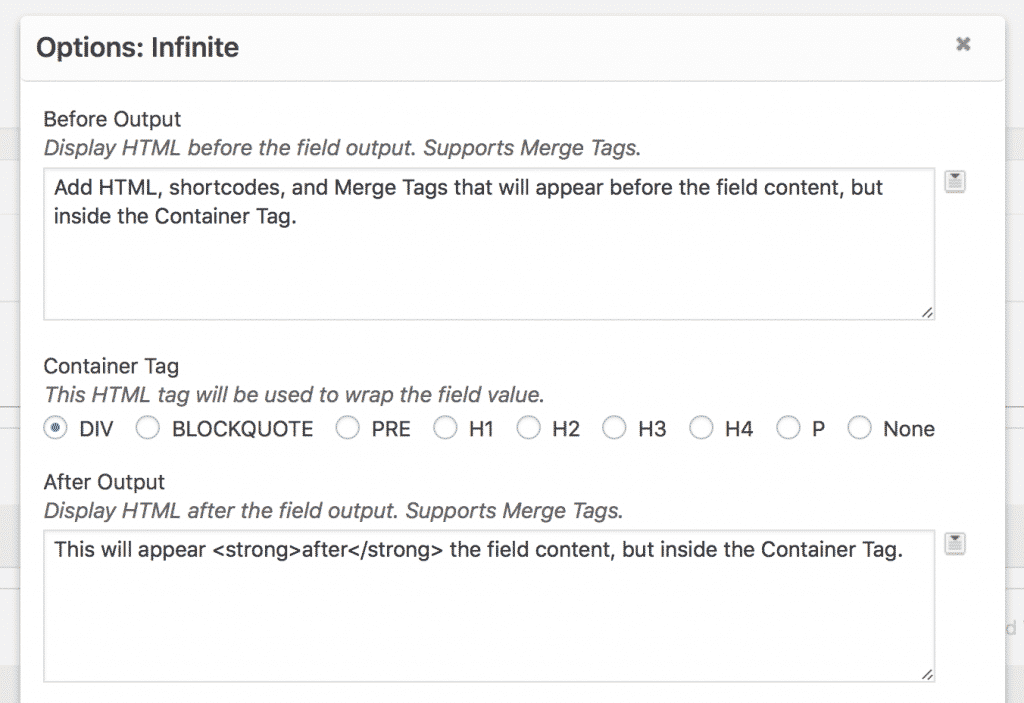
New field settings allow you to add custom HTML before or after field values
The new “Before Output” and “After Output” textareas allow you to add content before and after the field value. Without DIY, you would need to either use filters to modify the field output, or use a Custom Content field. These field settings support shortcodes, including [gvlogic], as well as Merge Tags. It’s everything you love about Custom Content fields, and more.
Why only designers and developers?
DIY layout doesn’t include any styles, so the View might not look how you want it out of the box and will likely need some tweaks. We recommend DIY to users with CSS experience.
Watch DIY Layout in action

Helpful tips right in your inbox.
Subscribe to get the latest articles, information on releases and helpful Gravity Forms tips!
More articles

Random Test
Let’s compare comparision with regular post

SHORTCODE TEST
Normal shortcodes akjdhajksd [gravityview id=”123″] asdasd [gvlogic] asdasd asdasd [gv_entry_link] asdasd Shortcodes with inline code akjdhajksd [gravityview id=”123″] asdasd [gvlogic] asdasd asdasd [gv_entry_link] asdasd Shortcodes escaped akjdhajksd [[gravityview id=”123″]] asdasd [[gvlogic]] asdasd asdasd [[gv_entry_link]] asdasd this is the [[gvlogic]] shortcode this is the [[gvlogic]]…

How to create a dynamic careers page on WordPress using GravityKit
In this tutorial, you’ll learn how to build a fully functional and user-friendly careers page using Gravity Forms and GravityView. We’ll walk through creating job listings, application forms, and admin views so visitors can browse open positions and apply directly, while hiring teams can…