
Gravity Forms GravityImport plugin released
Learn more on the GravityImport plugin page. Export Entries, meet GravityImport Too long has Export Entries been alone in the dark, exporting CSV files without the hope of anyone being able to use them. No longer! Conditional Logic So you have a CSV file with...

Learn more on the GravityImport plugin page.
 Export Entries, meet GravityImport
 Export Entries, meet GravityImport
Too long has Export Entries been alone in the dark, exporting CSV files without the hope of anyone being able to use them. No longer!
Conditional Logic
So you have a CSV file with 10,000 rows, and you only care about a small portion of those entries. What do you do? What. Do. You. Do?

You use the new Conditional Import functionality to only import the entries you want.
File Uploads
You want to import the File Upload field content? Done.
Import Entry Notes
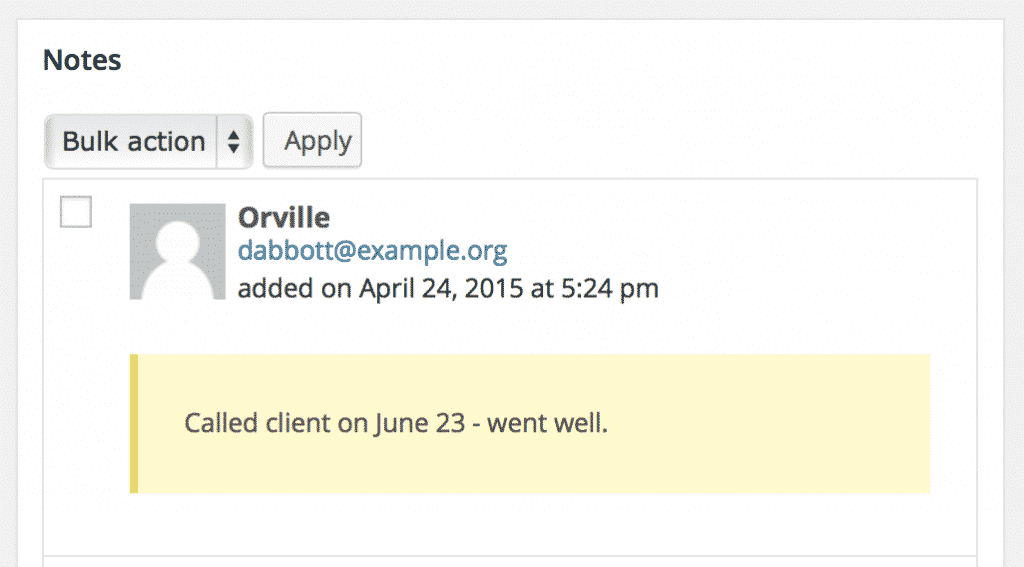
Never before has it been possible to import entry notes by CSV to Gravity Forms. Never in the history of humanity. Well, now it is. And it’s easy. And you can choose who the entry creator was by specifying the User ID.
Included in the GravityView All Access License
The GravityImport plugin is available to everyone for $Original price $99 Sale price $66, and is also included for no additional cost in an All Access license of GravityView.
Note: The GravityImport plugin does not require GravityView. Yes, it requires Gravity Forms. That just makes sense!

Helpful tips right in your inbox.
Subscribe to get the latest articles, information on releases and helpful Gravity Forms tips!
More articles

Random Test
Let’s compare comparision with regular post

SHORTCODE TEST
Normal shortcodes akjdhajksd [gravityview id=”123″] asdasd [gvlogic] asdasd asdasd [gv_entry_link] asdasd Shortcodes with inline code akjdhajksd [gravityview id=”123″] asdasd [gvlogic] asdasd asdasd [gv_entry_link] asdasd Shortcodes escaped akjdhajksd [[gravityview id=”123″]] asdasd [[gvlogic]] asdasd asdasd [[gv_entry_link]] asdasd this is the [[gvlogic]] shortcode this is the [[gvlogic]]…

How to create a dynamic careers page on WordPress using GravityKit
In this tutorial, you’ll learn how to build a fully functional and user-friendly careers page using Gravity Forms and GravityView. We’ll walk through creating job listings, application forms, and admin views so visitors can browse open positions and apply directly, while hiring teams can…