
GravityView & Extension Updates
It’s been a busy week for GravityView Yesterday and today we released updates to GravityView & our Featured Entries, Visual Composer, and Advanced Filter Extensions. We’re also making progress on the Ratings & Reviews Extension, and are working to have a beta ready in...


It’s been a busy week for GravityView
Yesterday and today we released updates to GravityView & our Featured Entries, Visual Composer, and Advanced Filter Extensions.
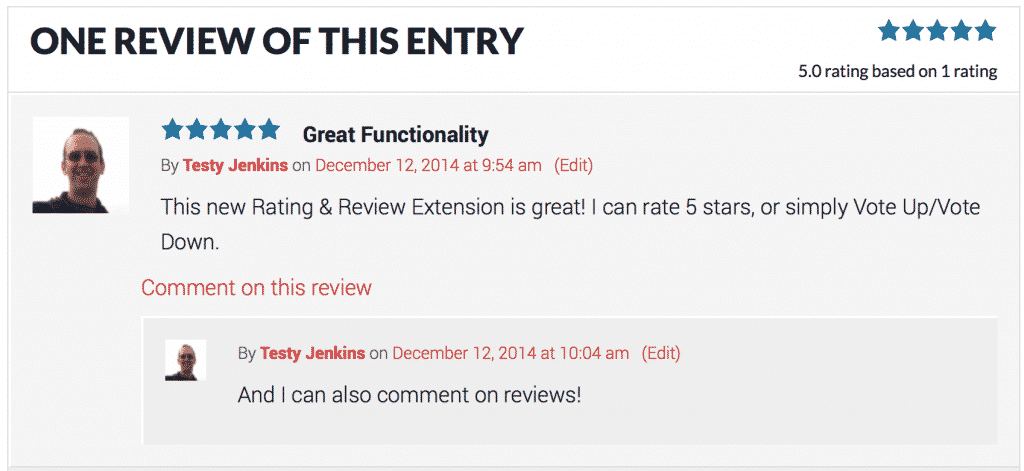
We’re also making progress on the Ratings & Reviews Extension, and are working to have a beta ready in the next two weeks. It’s really cool :-)
Pssst!
Here’s a little treat for blog readers: use the discount code
FLOATYFRIDAY1212for 25% off, one day only. The coupon can be used for new purchases or upgrades!
About the updates:
GravityView – Version 1.5.2
- Added: Possibility to show the label of Dropdown field types instead of the value (learn more)
- Fixed: Sorting numeric columns (field type number)
- Fixed: View entries filter for Featured Entries extension
- Fixed: Field options showing delete entry label
- Fixed: PHP date formatting now keeps backslashes from being stripped
- Modified: Allow license to be defined in
wp-config.php(Read how here) - Modified: Added
$post_idparameter as the second argument for thegv_entry_link()function. This is used to define the entry’s parent post ID. - Modified: Moved
GravityView_API::get_entry_id_from_slug()toGVCommon::get_entry_id_from_slug() - Modified: Added second parameter to
gravityview_get_entry(), which forces the ability to fetch an entry by ID, even if custom slugs are enabled andgravityview_custom_entry_slug_allow_idis false. - Updated Translations:
- Bengali translation by @tareqhi
- Romanian translation by @ArianServ
- Mexican Spanish translation by @jorgepelaez
Advanced Filtering Extension – Version 1.0.4
- Fixed: Do not show entries for non logged users when the ‘Created By’ field value is ‘Logged-in user’
- Tweak: Added
gravityview/adv_filter/view_filtersfilter to allow modifying the filters generated by the Extension - Fixed: Auto-upgrade for Multisite sites
- Added: Dutch translation (thanks, @erikvanbeek!)
Featured Entries Extension – Version 1.0.6
- Fixed: Not showing entries when all entries were featured
- Fixed: Flush GravityView cache when entry is starred or un-starred
Visual Composer Extension – Version 1.0.3
- Fixed: Label not properly displaying for checkbox options
- Fixed: PHP notices
- Updated translations (thanks everyone!)
- Fixed: Auto-updates for Multisite installations

Helpful tips right in your inbox.
Subscribe to get the latest articles, information on releases and helpful Gravity Forms tips!
More articles

Random Test
Let’s compare comparision with regular post

SHORTCODE TEST
Normal shortcodes akjdhajksd [gravityview id=”123″] asdasd [gvlogic] asdasd asdasd [gv_entry_link] asdasd Shortcodes with inline code akjdhajksd [gravityview id=”123″] asdasd [gvlogic] asdasd asdasd [gv_entry_link] asdasd Shortcodes escaped akjdhajksd [[gravityview id=”123″]] asdasd [[gvlogic]] asdasd asdasd [[gv_entry_link]] asdasd this is the [[gvlogic]] shortcode this is the [[gvlogic]]…

How to create a dynamic careers page on WordPress using GravityKit
In this tutorial, you’ll learn how to build a fully functional and user-friendly careers page using Gravity Forms and GravityView. We’ll walk through creating job listings, application forms, and admin views so visitors can browse open positions and apply directly, while hiring teams can…