
Our new documentation site
Visit our new support site The GravityView team recently switched our support service to Help Scout. It’s been a great transition, and the switch is already helping us provide better support. Much better article search. With our previous support system, we were repeating ourselves a lot because our documentation was so...

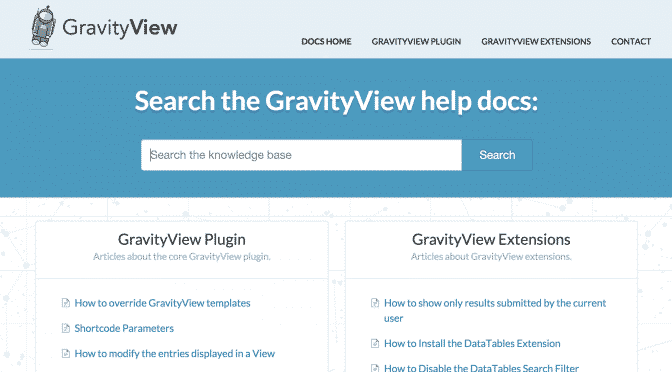
Visit our new support site
The GravityView team recently switched our support service to Help Scout. It’s been a great transition, and the switch is already helping us provide better support.
Much better article search.
With our previous support system, we were repeating ourselves a lot because our documentation was so hard to search. If we were frustrated searching our documentation, certainly our customers were too!
We have doubled down on our commitment to timely responses and providing helpful how-to articles. We look forward to helping you quickly and efficiently.
If you have an existing ticket, don’t worry: we’re still responding to existing tickets on the previous support platform!

Helpful tips right in your inbox.
Subscribe to get the latest articles, information on releases and helpful Gravity Forms tips!
More articles

Random Test
Let’s compare comparision with regular post

SHORTCODE TEST
Normal shortcodes akjdhajksd [gravityview id=”123″] asdasd [gvlogic] asdasd asdasd [gv_entry_link] asdasd Shortcodes with inline code akjdhajksd [gravityview id=”123″] asdasd [gvlogic] asdasd asdasd [gv_entry_link] asdasd Shortcodes escaped akjdhajksd [[gravityview id=”123″]] asdasd [[gvlogic]] asdasd asdasd [[gv_entry_link]] asdasd this is the [[gvlogic]] shortcode this is the [[gvlogic]]…

How to create a dynamic careers page on WordPress using GravityKit
In this tutorial, you’ll learn how to build a fully functional and user-friendly careers page using Gravity Forms and GravityView. We’ll walk through creating job listings, application forms, and admin views so visitors can browse open positions and apply directly, while hiring teams can…