
The Top 3 GravityView Features Added in 2016
At the end of the year, let’s take a look back at the top three features of 2016 We made changes to the code 717 times in 2016—that’s an average of 2 updates per day! From all those changes, it’s hard to find the few...


At the end of the year, let’s take a look back at the top three features of 2016
We made changes to the code 717 times in 2016—that’s an average of 2 updates per day! From all those changes, it’s hard to find the few that we love the most…but I’ll try.
3. GravityView Toolbar menu item
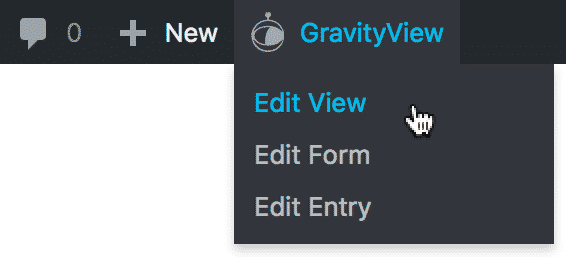
When it comes to saving the most time, this third-place feature comes in first. It was a common occurence: you are on a page with an embedded View that you want to change. To do that, you need to click the “Edit Page” link in the toolbar, search the page content to find the View shortcode, remember the View’s ID, go to Views, find the one you want, then you can finally access it. We took care of that in 2016.
2. Front-end Entry Moderation
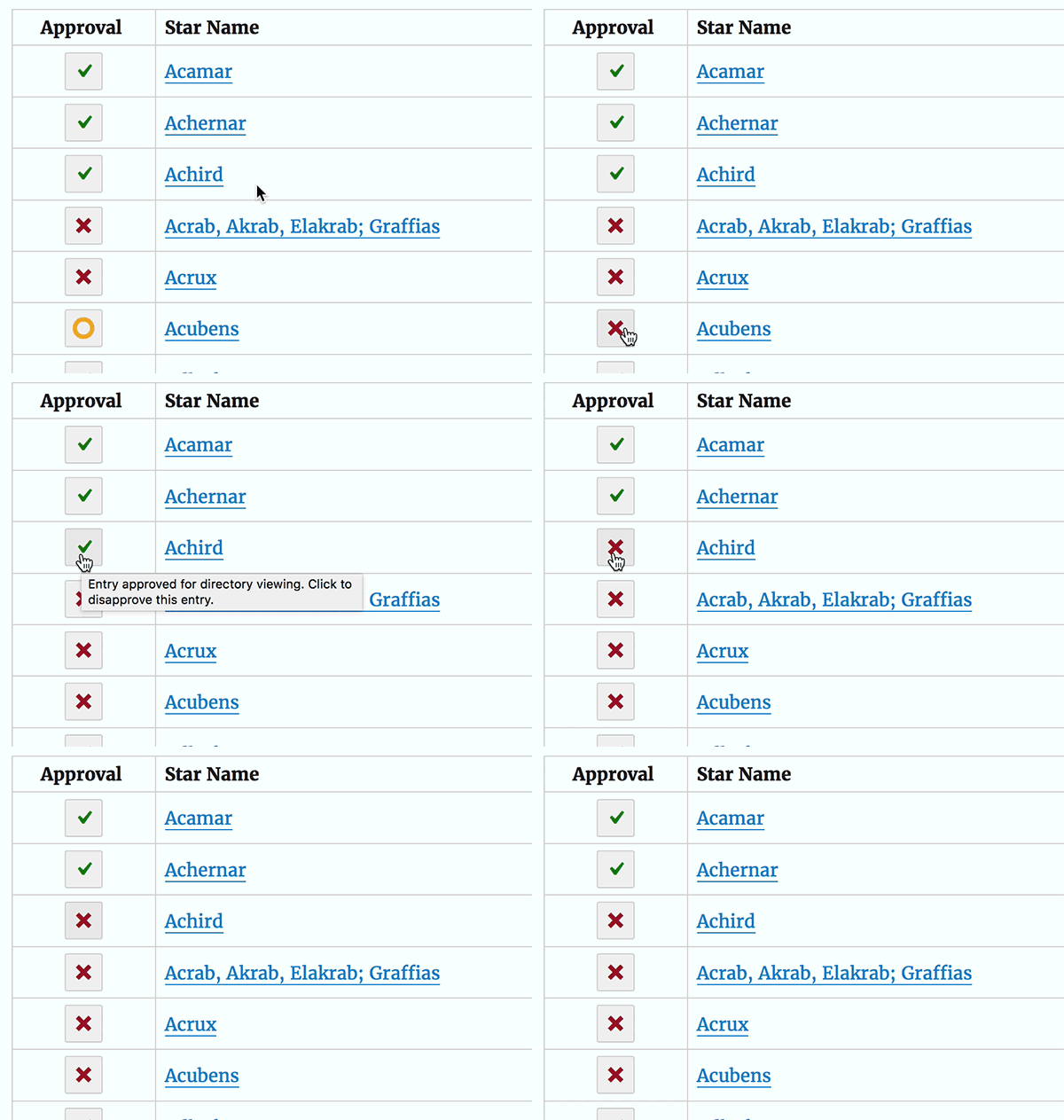
Until November, if you wanted to approve or reject an entry, you would need to edit each entry using GravityView or you would go into the Dashboard and change the approval status in Gravity Forms. Now, you can approve entries from the front-end.
1. Front-end Entry Notes
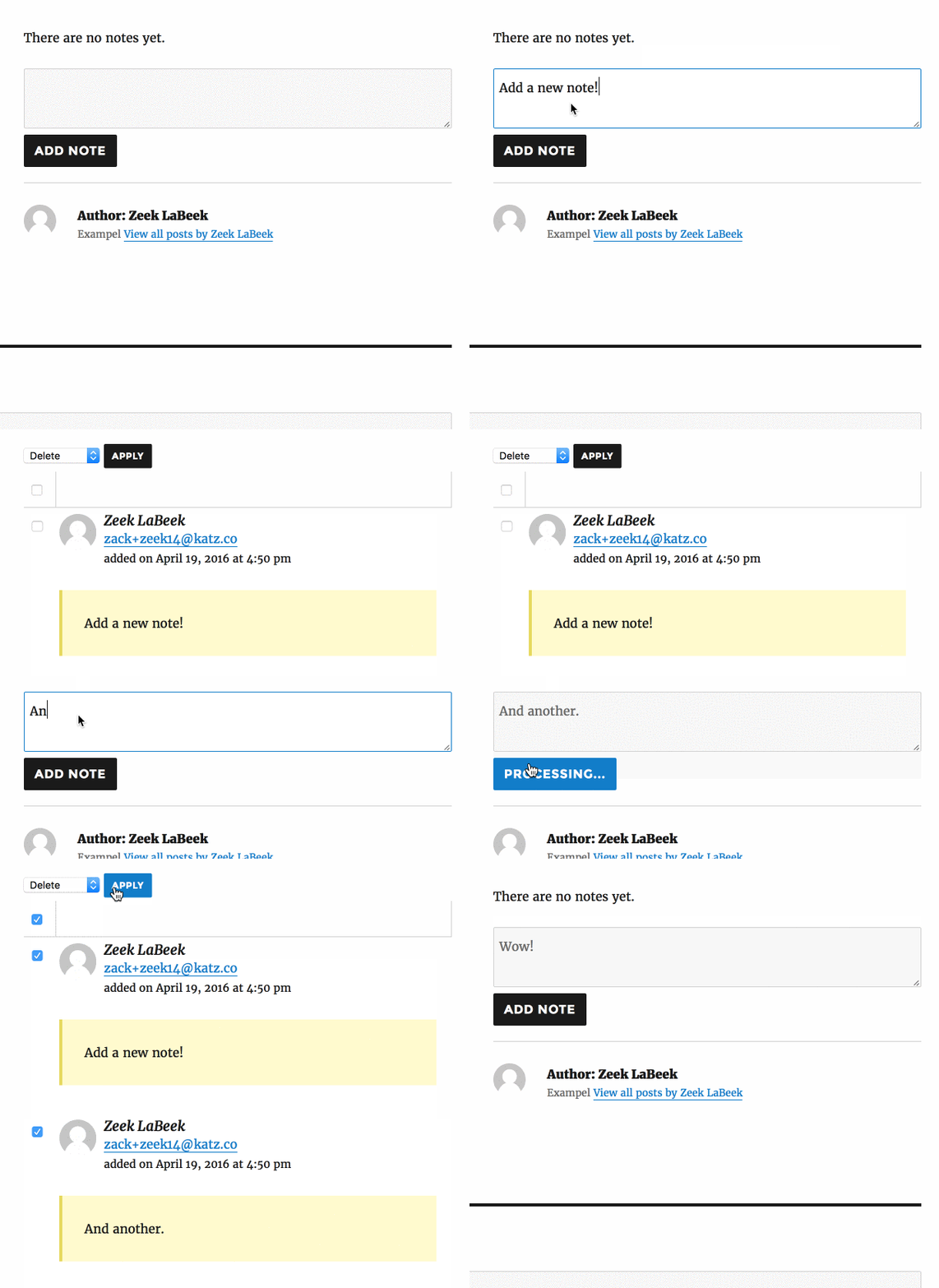
You can now add, delete, and display notes on an entry from the front-end. By adding this feature, GravityView added support for all core Gravity Forms entry detail page functionality. This feature was a ton of work, but there’s no sign of that when you use it; just as it should be. ?
Honorable mentions:
Search Bar redesign
In 2015, our Search Bar struggled when there were lots of fields configured. Now, we’re using “Flexbox” to handle the layout automatically, and it looks great.
Support for Gravity Flow
Gravity Flow is an impressive plugin that brings enterprise-level workflows to Gravity Forms. GravityView integrates with Gravity Flow to make entry approval and moderation.
Other notables:
- New, powerful Merge Tags (and great new Merge Tag Modifiers)
- Click-to-call phone numbers
- Fully translated in Chinese 🇨🇳
- Create a View directly from Gravity Forms using the form toolbar
- Added support in the Search Bar State and Country drop-down fields
And the Extension Update of 2016 goes to…Maps!
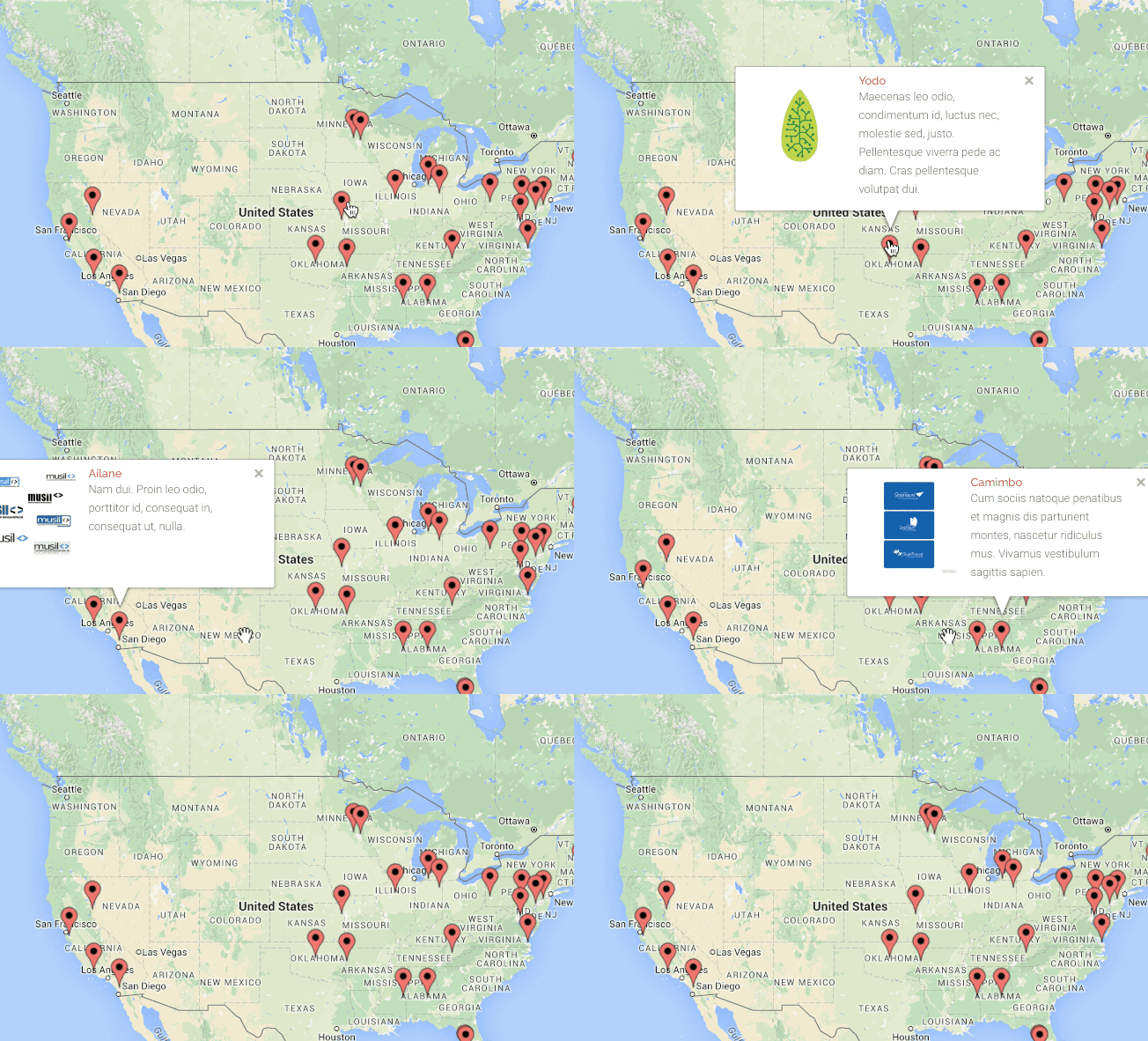
In 2016, Maps added Infoboxes, a missing piece to the extension’s functionality. Info boxes allow you to display information about an entry on a map by clicking the entry’s marker. When you click the marker, a box pops up with more details. Congratulations, Maps plugin! ?
We are planning our 2017 features
We’ve got major plans for 2017, but our primary focus will be improving search capabilities and making GravityView even easier to use. Our latest update included a small but important message letting users know when a View wasn’t configured properly. GravityView will be easier to use in 2017 than ever before!

Helpful tips right in your inbox.
Subscribe to get the latest articles, information on releases and helpful Gravity Forms tips!
More articles

Random Test
Let’s compare comparision with regular post

SHORTCODE TEST
Normal shortcodes akjdhajksd [gravityview id=”123″] asdasd [gvlogic] asdasd asdasd [gv_entry_link] asdasd Shortcodes with inline code akjdhajksd [gravityview id=”123″] asdasd [gvlogic] asdasd asdasd [gv_entry_link] asdasd Shortcodes escaped akjdhajksd [[gravityview id=”123″]] asdasd [[gvlogic]] asdasd asdasd [[gv_entry_link]] asdasd this is the [[gvlogic]] shortcode this is the [[gvlogic]]…

How to create a dynamic careers page on WordPress using GravityKit
In this tutorial, you’ll learn how to build a fully functional and user-friendly careers page using Gravity Forms and GravityView. We’ll walk through creating job listings, application forms, and admin views so visitors can browse open positions and apply directly, while hiring teams can…