
GravityView 1.7 Supports Editing Post Content
GravityView now supports editing post fields! In previous versions of GravityView (and in Gravity Forms itself), if you wanted to edit Post Fields, you would see a message like this: That was no good! Now, you can now edit that post from the Edit...

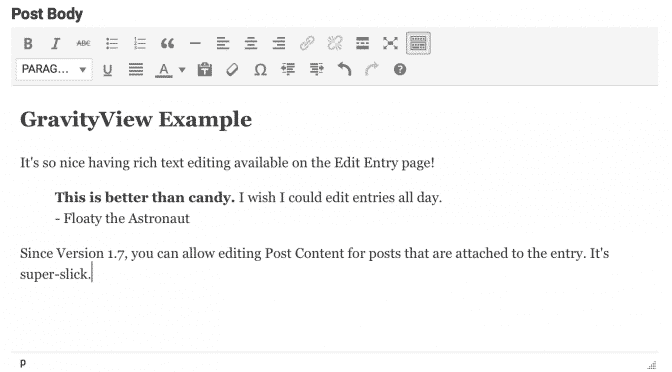
GravityView now supports editing post fields!
In previous versions of GravityView (and in Gravity Forms itself), if you wanted to edit Post Fields, you would see a message like this:
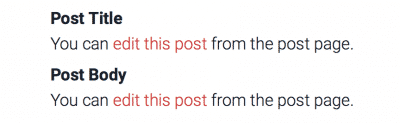
That was no good! Now, you can now edit that post from the Edit Entry page inside GravityView. GravityView supports editing post content in a rich text editor, just like you would expect. Learn more.
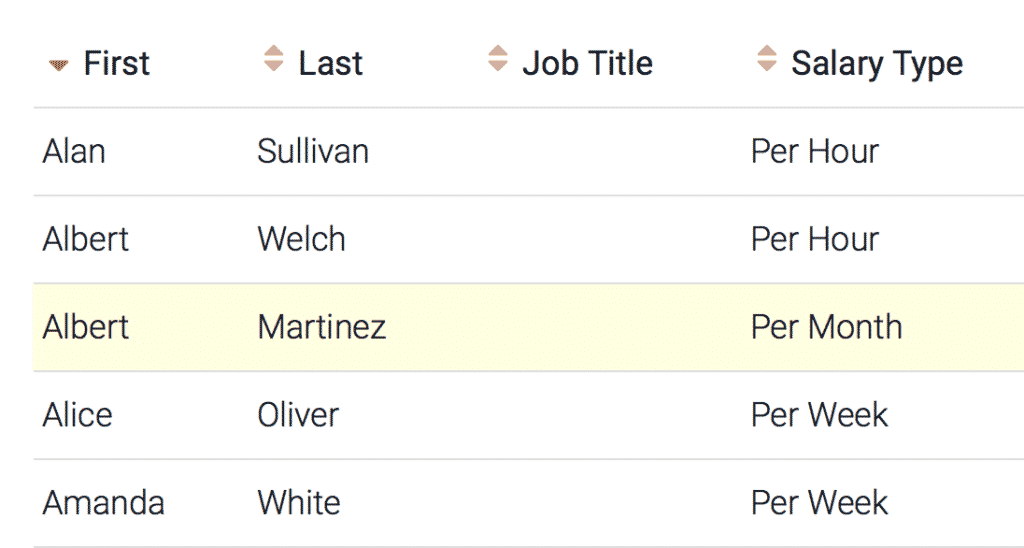
Users can sort View results by clicking the sort icons at the top of a table. It’s easy to enable for existing Views, too. See sorting in action.
We hope you enjoy the new functionality.
Full 1.7 release notes:
- Added: You can now edit most Post Fields in Edit Entry mode
- Supports Post Content, Post Title, Post Excerpt, Post Tags, Post Category, and most Post Custom Field configurations (Learn more)
- Added: Sort Table columns (read how)
- Added: Post ID field now available – shows the ID of the post that was created by the Gravity Forms entry
- Fixed: Properly reset
$postafter Live Post Data is displayed - Tweak: Display spinning cursor while waiting for View configurations to load
- Tweak: Updated GravityView Form Editor buttons to be 1.9 compatible
- Added:
gravityview/field_output/argsfilter to modify field output settings before rendering - Fixed: Don’t show date field value if set to Unix Epoch (1/1/1970), since this normally means that in fact, no date has been set
- Fixed: PHP notices when choosing “Start Fresh”
- Fixed: If Gravity Forms is installed using a non-standard directory name, GravityView would think it wasn’t activated
- Fixed: Fixed single entry links when inserting views with
the_gravityview()template tag - Updated: Portuguese translation (thanks, Luis!)
- Added:
gravityview/fields/email/javascript_requiredfilter to modify message displayed when encrypting email addresses and Javascript is disabled - Added:
GFCommon:js_encrypt()method to encrypt text for Javascript email encryption - Fixed: Recent Entries widget didn’t allow externally added settings to save properly
- Fixed: Delete Entry respects previous pagination and sorting
- Tweak: Updated View Presets to have improved Search Bar configurations
- Fixed:
gravityview/get_all_views/paramsfilter restored (Modify Views returned by theGVCommon::get_all_views()method) - GravityView will soon require Gravity Forms 1.9 or higher. If you are running Gravity Forms Version 1.8.x, please update to the latest version.

Helpful tips right in your inbox.
Subscribe to get the latest articles, information on releases and helpful Gravity Forms tips!
More articles

Random Test
Let’s compare comparision with regular post

SHORTCODE TEST
Normal shortcodes akjdhajksd [gravityview id=”123″] asdasd [gvlogic] asdasd asdasd [gv_entry_link] asdasd Shortcodes with inline code akjdhajksd [gravityview id=”123″] asdasd [gvlogic] asdasd asdasd [gv_entry_link] asdasd Shortcodes escaped akjdhajksd [[gravityview id=”123″]] asdasd [[gvlogic]] asdasd asdasd [[gv_entry_link]] asdasd this is the [[gvlogic]] shortcode this is the [[gvlogic]]…

How to create a dynamic careers page on WordPress using GravityKit
In this tutorial, you’ll learn how to build a fully functional and user-friendly careers page using Gravity Forms and GravityView. We’ll walk through creating job listings, application forms, and admin views so visitors can browse open positions and apply directly, while hiring teams can…