
GravityView version 1.8 has been released
We were tired of switching between a bunch of different boxes to configure our View and the different GravityView Extension settings. So we combined them into a pretty little box. Tabbed metabox settings makes configuring your View settings easier. We also added support for...

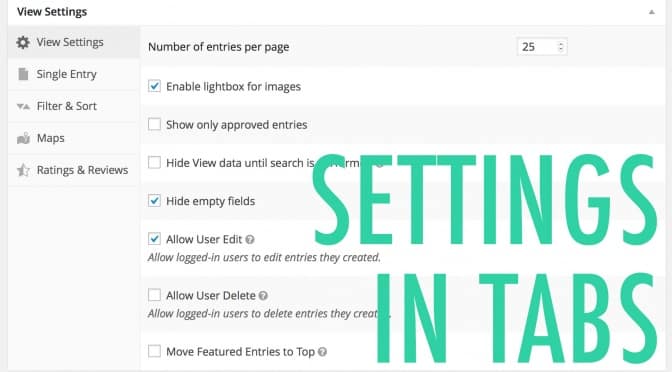
We were tired of switching between a bunch of different boxes to configure our View and the different GravityView Extension settings. So we combined them into a pretty little box. Tabbed metabox settings makes configuring your View settings easier. 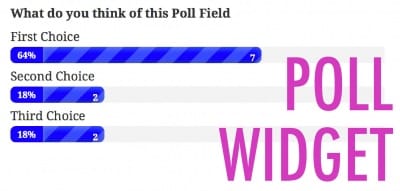 We also added support for the Gravity Forms Poll Addon (a new widget displays quiz results in the View) and improved support for Gravity Forms Quiz Addon. There are a bunch of other fixes as well, but those are the big’uns.
Here’s a full list of changes for the release:
1.8 on May 26
- View settings have been consolidated to a single location. Learn more about the new View Settings layout.
- Added: Custom Link Text in Website fields
- Added: Poll Addon GravityView widget
- Added: Quiz Addon support: add Quiz score fields to your View configuration
- Added: Possibility to search by entry creator on Search Bar and Widget
- Fixed:
[gvlogic]shortcode now properly handles comparing empty values.- Use
[gvlogic if="{example} is=""]to determine if a value is blank. - Use
[gvlogic if="{example} isnot=""]to determine if a value is not blank. - See “Matching blank values” in the shortcode documentation
- Use
- Fixed: Sorting by full address. Now defaults to sorting by city. Use the
gravityview/sorting/addressfilter to modify what data to use (here’s how) - Fixed: Newly created entries cannot be directly accessed when using the custom slug feature
- Fixed: Merge Tag autocomplete hidden behind the Field settings (did you know you can type
{in a field that has Merge Tags enabled and you will get autocomplete?) - Fixed: For sites not using Permalinks, the Search Bar was not working for embedded Views
- Tweak: When GravityView is disabled, only show “Could not activate the Extension; GravityView is not active.” on the Plugins page
- Tweak: Added third parameter to
gravityview_widget_search_filtersfilter that passes the search widget arguments - Updated: Italian translation by @Lurtz
- Updated: Danish translation by @jaegerbo

Helpful tips right in your inbox.
Subscribe to get the latest articles, information on releases and helpful Gravity Forms tips!
More articles

Random Test
Let’s compare comparision with regular post

SHORTCODE TEST
Normal shortcodes akjdhajksd [gravityview id=”123″] asdasd [gvlogic] asdasd asdasd [gv_entry_link] asdasd Shortcodes with inline code akjdhajksd [gravityview id=”123″] asdasd [gvlogic] asdasd asdasd [gv_entry_link] asdasd Shortcodes escaped akjdhajksd [[gravityview id=”123″]] asdasd [[gvlogic]] asdasd asdasd [[gv_entry_link]] asdasd this is the [[gvlogic]] shortcode this is the [[gvlogic]]…

How to create a dynamic careers page on WordPress using GravityKit
In this tutorial, you’ll learn how to build a fully functional and user-friendly careers page using Gravity Forms and GravityView. We’ll walk through creating job listings, application forms, and admin views so visitors can browse open positions and apply directly, while hiring teams can…