Math filters: How to target a specific field value with [gravitymath] filters
The “filter” parameter only works with scope="view" or scope="form" . More about that here: The [gravitymath] Shortcode.
Assuming you have a form like this one:
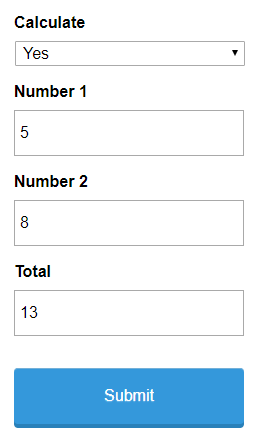
…and a View like this one:
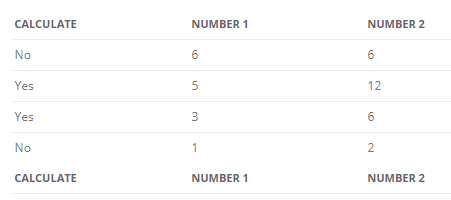
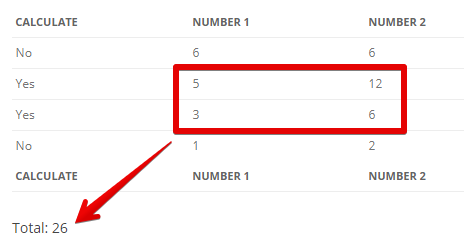
Now, you want to calculate the sum between Number 1 and Number 2, only for the entries where the value of the Calculate field is “Yes”. That’s now possible with the “filter” parameter of the [gravitymath] shortcode.
Here’s our shortcode. Make sure to replace the View ID (8 in this example) and the View secret (abc123 in this example) with the ID and secret for your View.
Total: [gravitymath scope="view" secret="abc123" id="8" filter="filter_1=Yes&op_1=is"]{Number 1:2}+{Number 2:3}[/gravitymath]…and here’s the output in the View:
Usage
The following attributes for the “filter” parameter are supported:
filter_N– the filter, where N is the ID of the field or meta keyop_N– the operation for a correspondingfilter_N, default:is, other operators areisnot,contains,notcontains,lt(less than), andgt(greather than).limit– the number of entries to calculate. Leave it blank to use all entries from the chosen “scope” parameter.
In the example below, we filter the field Calculate (ID = 1) for the “Yes” value.
[gravitymath scope="view" id="206" secret="abc123" filter="filter_1=Yes&op_1=is"]...[/gravitymath]If we wanted to filter by two fields instead, for example, Calculate =Yes and Number 2 = 6, then we’ll do it like this:
[gravitymath scope="view" id="206" secret="abc123" filter="filter_1=Yes&op_1=is&filter_3=Yes&op_3=is"]...[/gravitymath]Pay attention to the fact that filter_1 and op_1 correspond to the first field Calculate (ID = 1), and filter_3 and op_3 correspond to the field Number 2 (where ID = 3).
Use values on the filter parameter, not labels
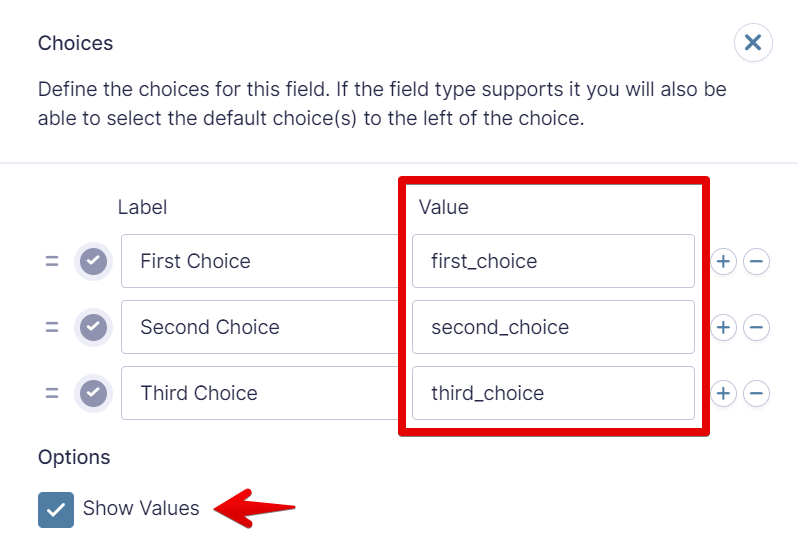
If you are filtering a choice-based field, like a dropdown, that uses values instead of only labels, then the filter will look for the value and not the label:
Example:
[gravitymath ... filter="filter_1=first_choice"]...[/gravitymath]Filtering by dates
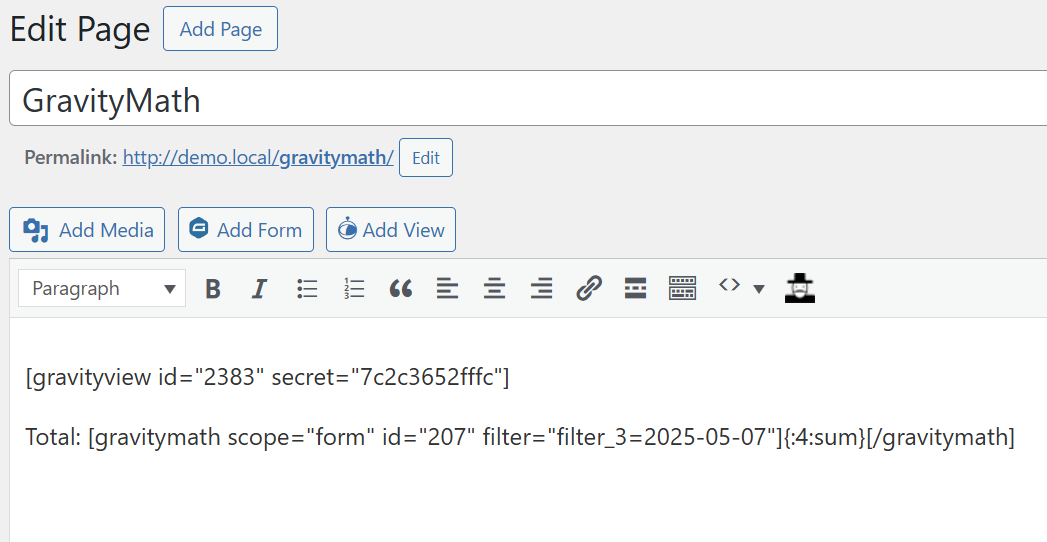
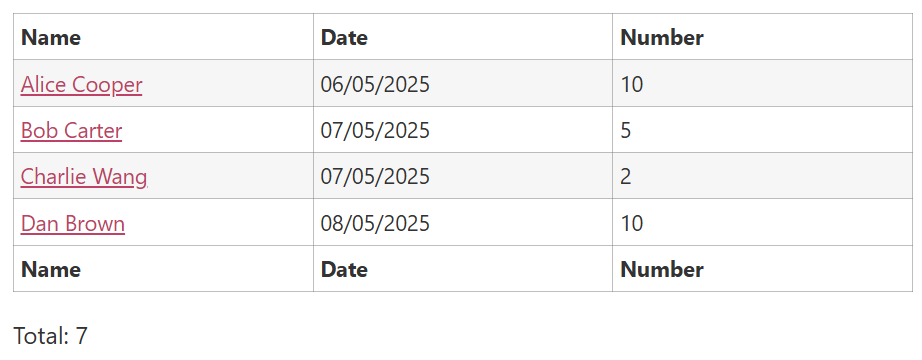
The filter parameter also accepts dates in the same format specified in the form editor or in the YYYY-MM-DD format.