
Field Conditional Logic
Field Conditional Logic requires the Advanced Filter extension to be installed on your website.
This functionality is more accessible than using the [gvlogic] shortcode because it doesn’t require any previous knowledge of the shortcode parameters; it’s as simple as specifying the conditions for each field on the View editor.
Field Conditional Logic supports relative dates for date comparison!
How to use it #
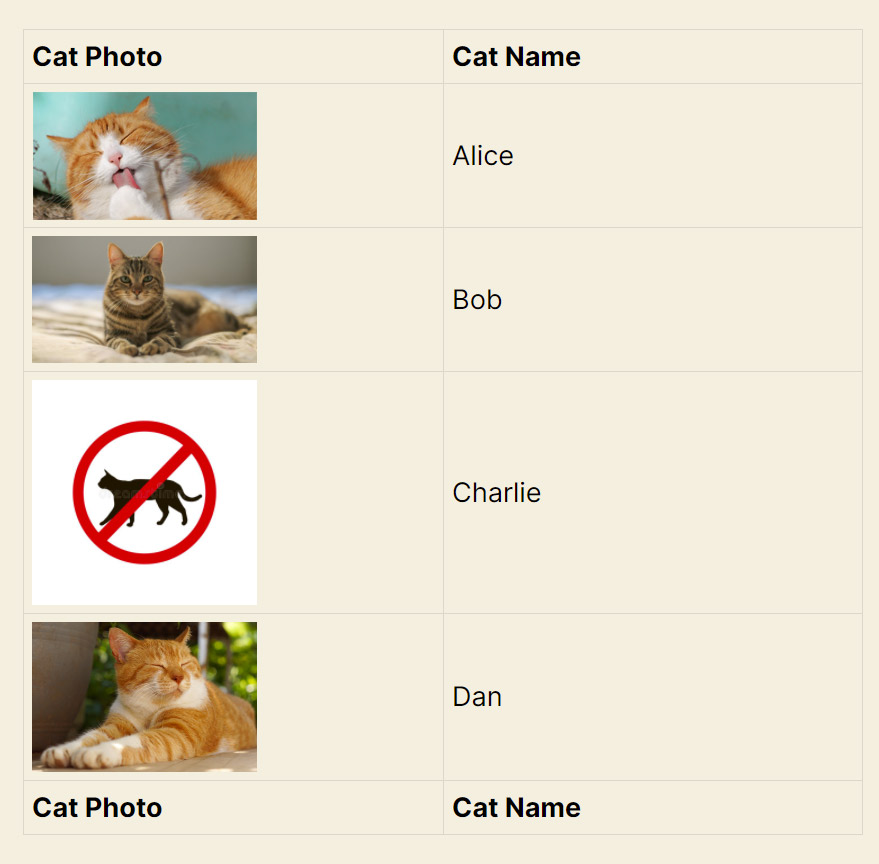
In this View, the cat named “Charlie” doesn’t have a photo:
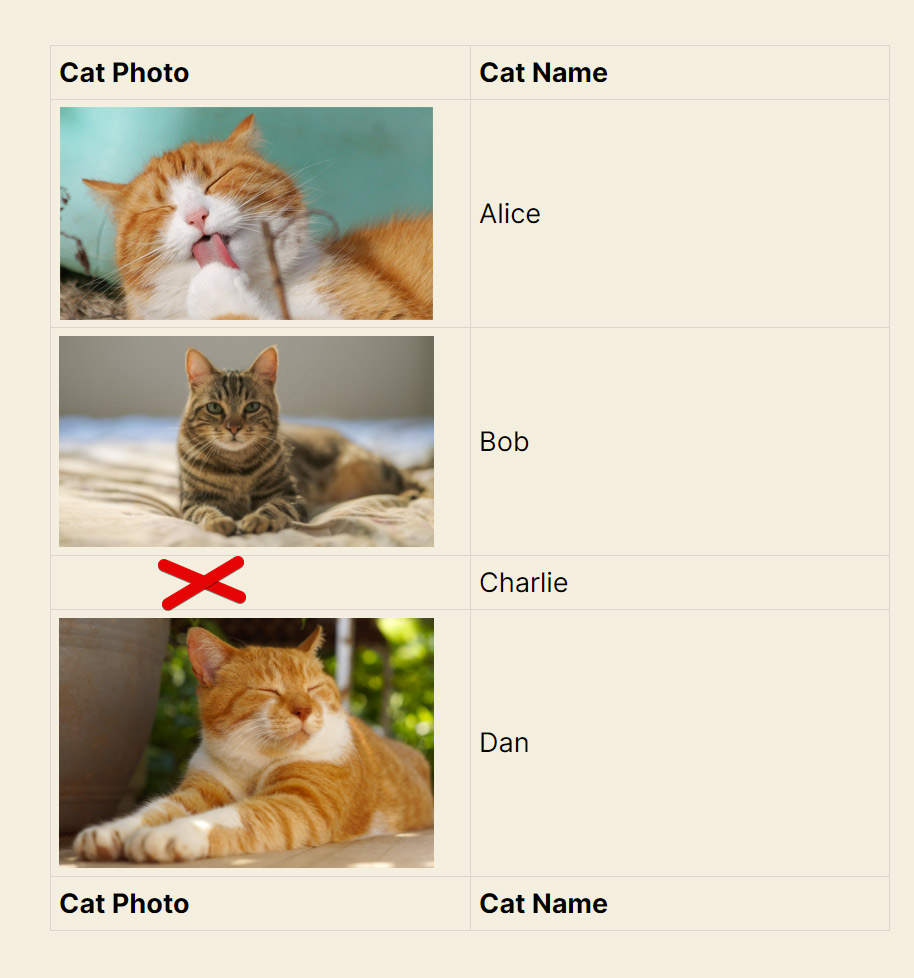
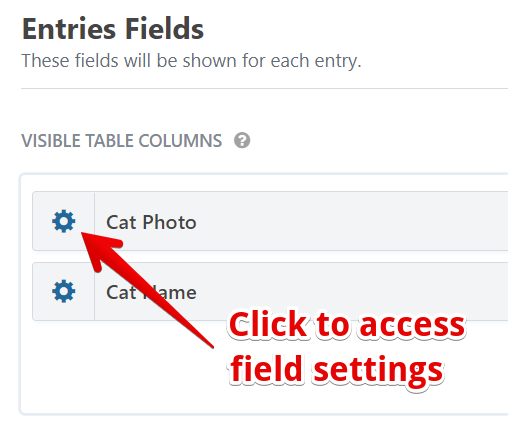
We’ll now use Field Conditional Logic on the Cat Photo field to display a placeholder image when no photos are present:
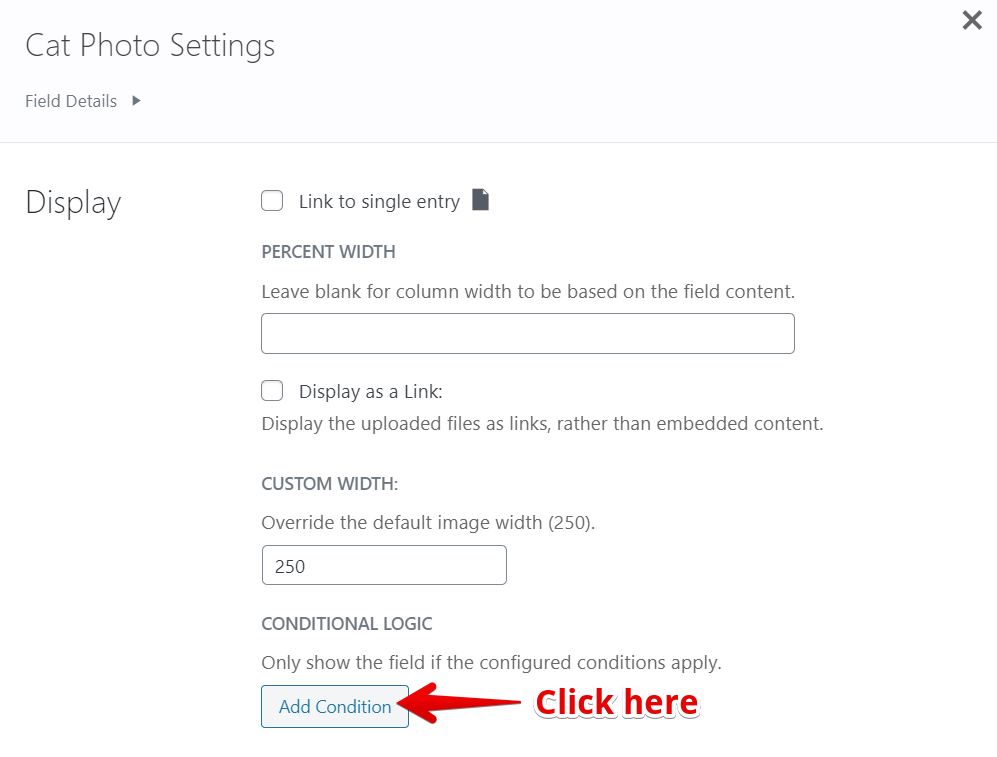
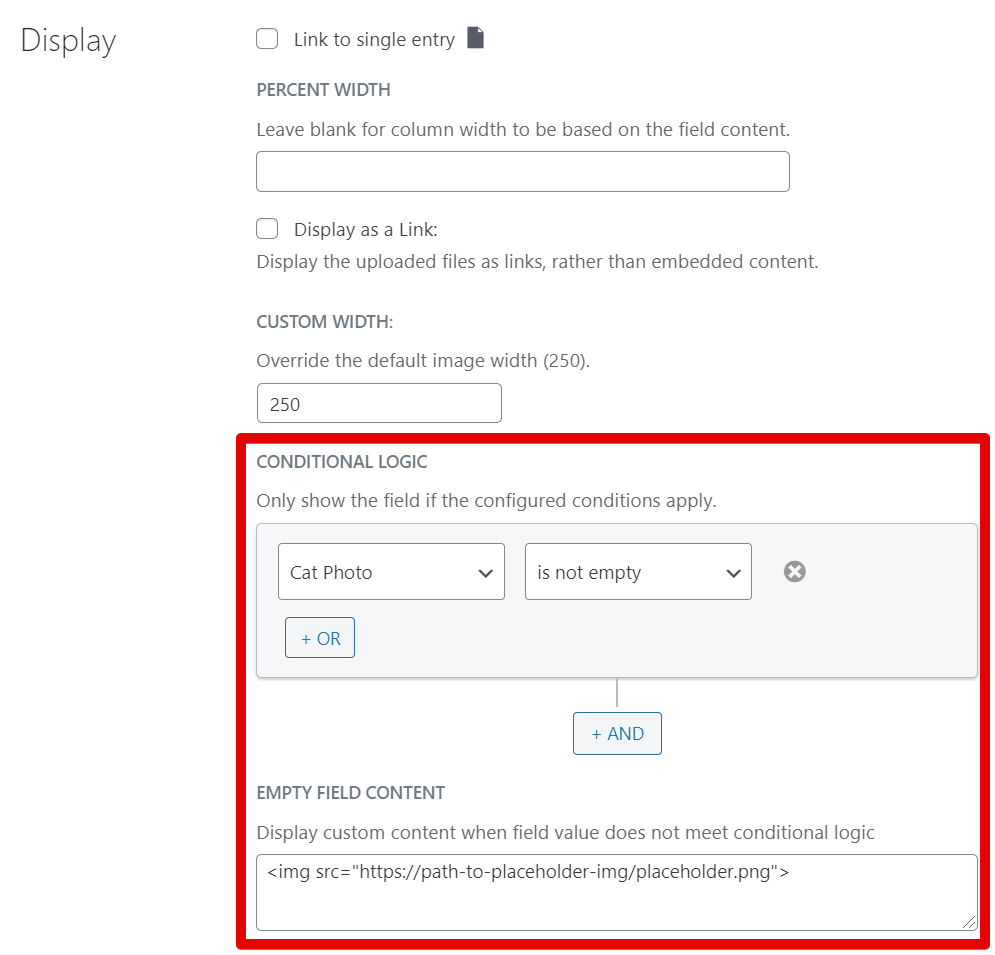
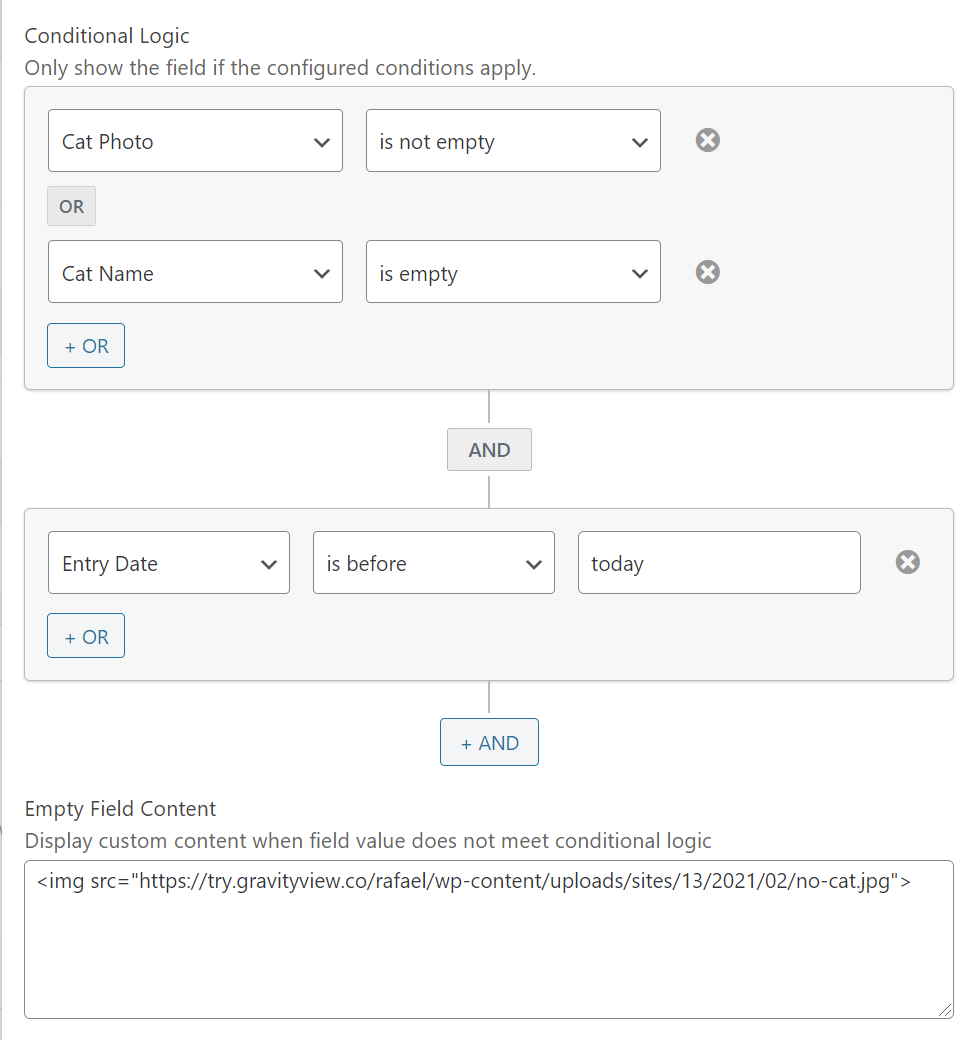
Once the field configuration panel shows up, we specify the condition only to display the field if it’s not empty. If it’s empty, we’ll display the placeholder image instead:
And here’s our View now with a placeholder image for the cat named Charlie:
This functionality works for all field types, including Custom Content fields. You can also combine multiple clauses using our AND and OR operators:
💡 Did you know? Advanced Filtering now works with Multiple Forms, so you can filter and apply conditional logic across joined forms just as easily as with a single form.

