
Filtering by user role
If you want to display only entries created by users with a specific role, you can do that with the Advanced Filters extension.
Note: This functionality requires GravityView 2.0.14. Filtering by role may not work correctly in earlier versions.
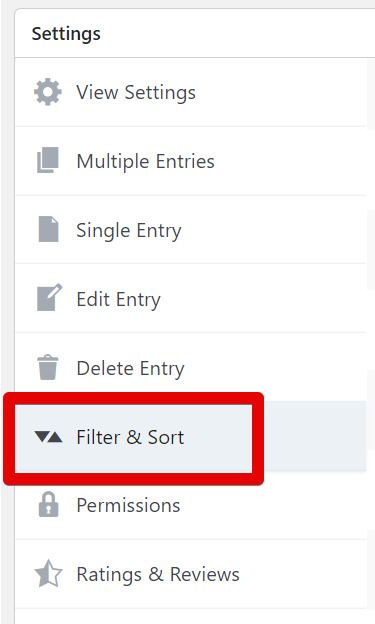
When editing a View, scroll to the Settings Panel and click the “Filter & Sort” tab: #
Click the “Add Condition” button #

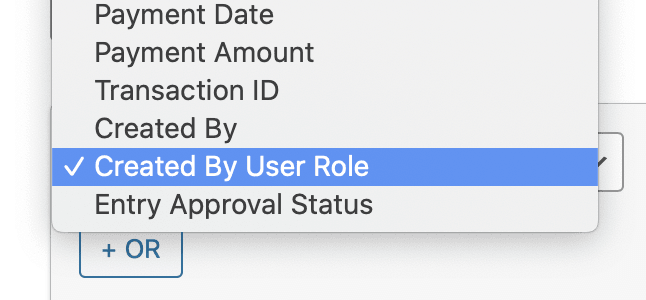
Then choose “Created By User Role” from the first dropdown #
Choose the role you wish to display entries from #
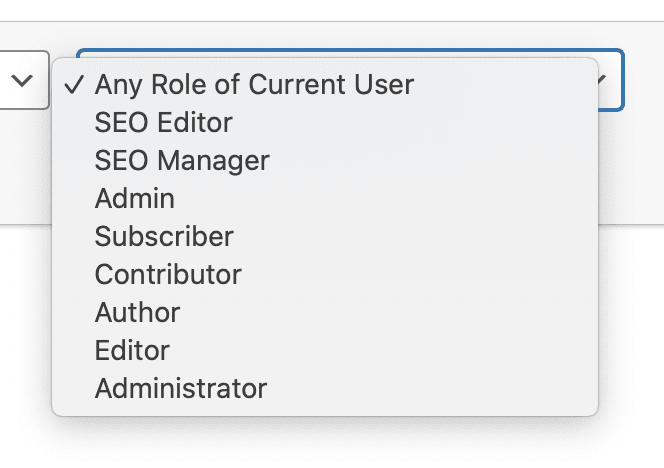
If you choose “Any Role of Current User”, the currently logged-in user’s roles will be used #

You can also use “is not”! #
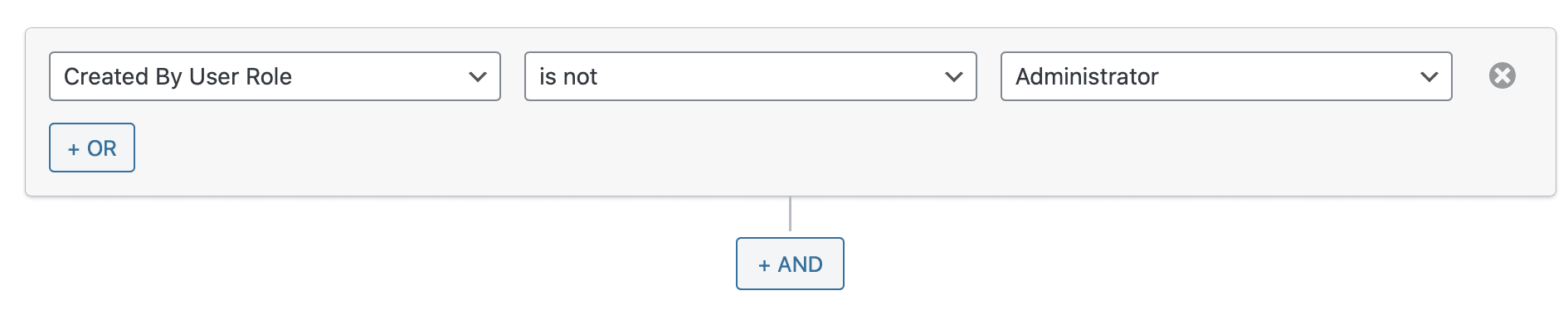
You can exclude entries created by users with specific roles by selecting the “is not” comparison from the filter dropdown.
To show all entries that were not created by site administrators, you could add this configuration: “Created By User Role” “is not” “Administrator”, as shown below.
Was this page helpful?


Table Of Contents
- When editing a View, scroll to the Settings Panel and click the “Filter & Sort” tab:
- Click the “Add Condition” button
- Then choose “Created By User Role” from the first dropdown
- Choose the role you wish to display entries from
- If you choose “Any Role of Current User”, the currently logged-in user’s roles will be used
- You can also use “is not”!