
Shortening the displayed URL in a Website field
If your entries have long URLs, they can look bad when displayed in a View. GravityView offers a Website field option named “Shorten Link Display,” which allows you to change a long, ugly URL to a nice-looking one.
- It will take this:
https://www.example.com/las8fh/742m.html?ref=product137u - And turn it into this:
example.com
The “Shorten Link Display” functionality is enabled by default for Gravity Forms Website fields in a View.
Here’s how to enable and disable the functionality:
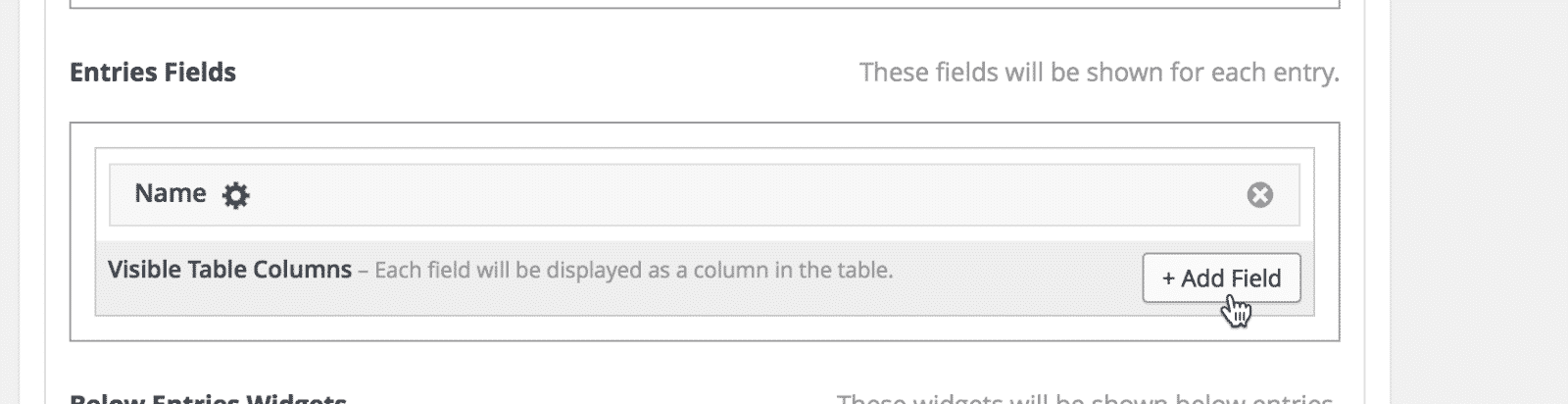
Click the Add Field button #
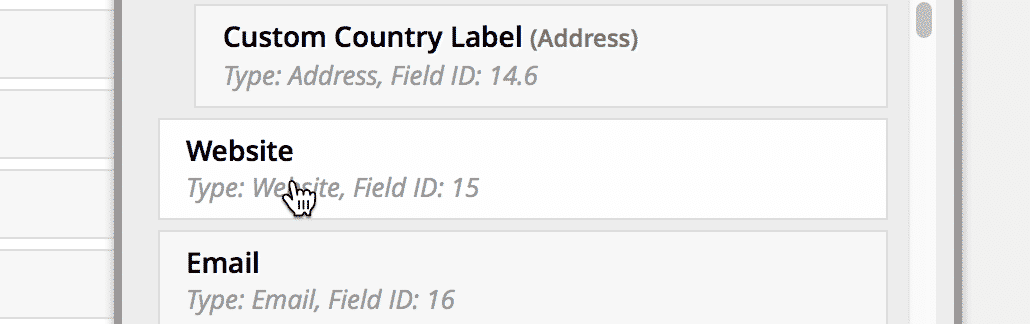
Select a Website field from the field picker #
If your form doesn’t have a website field, this functionality will not be available.
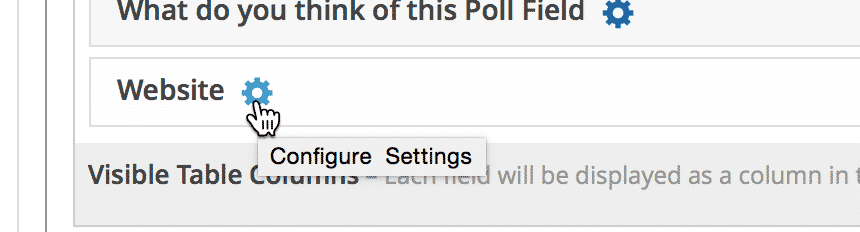
Click the gear icon to configure the Field settings #
Check or uncheck the “Shorten Link Display” setting #
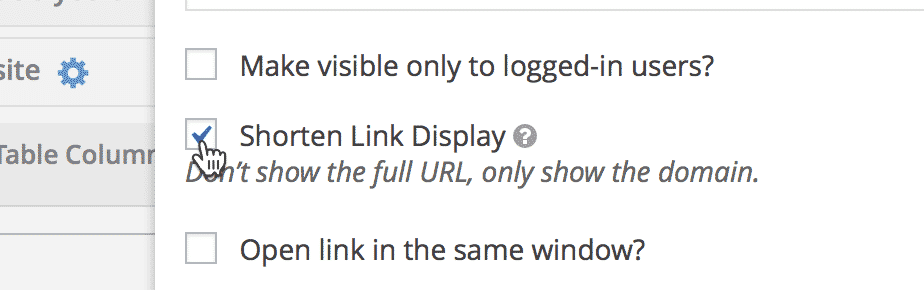
By default, links will be shortened by removing:
http://andhttps://( http://example.com => example.com )www.subdomain, if exists ( www.example.com => example.com )- Subdomains, if exists ( demo.example.com => example.com )
- URL paths ( http://example.com/sub/directory/page.html => example.com )
- Query parameters ( http://example.com/?query=example => example.com )
The link text will look shorter, but the link URL remains the same.
For developers: Hooks to modify the “Shorten Link Display” behavior #
If you would like to tweak how the Shorten Link Display functionality works, there are hooks for that!
You can find the hooks inside the
gravityview_format_link() function. You can also override the function by defining it in your theme’s code>functions.php file.
The following hooks are available to modify functionality. All filters have a
true default.
http://andhttps://(or any other scheme, likeftp://) ( http://example.com => example.com )
Filter:gravityview_anchor_text_striphttpwww.subdomain, if exists ( www.example.com => example.com )
Filter:gravityview_anchor_text_stripwww- Subdomains, if exists ( demo.example.com => example.com )
Filter:gravityview_anchor_text_nosubdomain - URL paths ( http://example.com/sub/directory/page.html => example.com )
Filter:gravityview_anchor_text_rootonly - Query parameters ( http://example.com/?query=example => example.com )
Filter:gravityview_anchor_text_noquerystring
See some code samples below for disabling Shorten Link Display filters.
/**
 * Examples of how to disable each of the "Shorten Link Display" methods for shortening the displayed URL.
 */

/**
 * Strip scheme from the displayed URL
 *
 * http://example.com => example.com
 *
 * @param boolean $enable Whether to strip the scheme. Return false to show scheme.
 */
add_filter( 'gravityview_anchor_text_striphttp', '__return_false' );

/**
 * Strip www from the domain
 *
 * http://www.example.com => example.com
 *
 * @param boolean $enable Whether to strip www. Return false to show www.
 */
add_filter( 'gravityview_anchor_text_stripwww', '__return_false' );

/**
 * Strip subdomains from the domain
 *
 * Enabled:
 * http://demo.example.com => example.com
 *
 * Disabled:
 * http://demo.example.com => demo.example.com
 *
 * @param boolean $enable Whether to strip subdomains. Return false to show subdomains.
 */
add_filter( 'gravityview_anchor_text_nosubdomain', '__return_false' );

/**
 * Display link path going only to the base directory, not a sub-directory or file.
 *
 * When enabled:
 * http://example.com/sub/directory/page.html => example.com
 *
 * When disabled:
 * http://example.com/sub/directory/page.html => example.com/sub/directory/page.html
 *
 * @param boolean $enable Whether to enable "root only". Return false to show full path.
 */
add_filter( 'gravityview_anchor_text_rootonly', '__return_false' );

/**
 * Whether to strip the query string from the end of the URL
 *
 * http://example.com/?query=example => example.com
 *
 * @param boolean $enable Whether to enable "root only". Return false to show full path.
 */
add_filter( 'gravityview_anchor_text_noquerystring', '__return_false' );Read here how to add these code samples to your website: Where to put code samples.

